Extension Trust
Browser extensions are essentially Javascript programs that run within the browser, and thus represent a significant information security risk. In order to limit the risk, extensions have to declare a manifest that states which operations the extension wants to perform in the browser. There are permissions that specify which functionalities the extension can perform, like accessing cookies or the browser history. There are also host permissions that specify which domains the extension can perform its operations, for example microsoft.com or <all_urls> (to access all sites). Extensions can ask for optional permissions, which have to be explicitly validated by users at run-time. However, most users may not be able to properly judge the risks involved, or may not even read the warnings at all.
Extensions are packaged and uploaded to an extension store; Chrome has the Chrome Web Store, and Edge and Firefox each have their own. Depending on the resources available to each store, the extensions are more of less vetted for security purposes. Developers can also upload new versions of the extension, which are then automatically distributed to all browsers where the extension is installed.
Even if extensions request no permissions at all, any extension can still run Javascript code on any page that they can access, read and manipulate the information on those pages, and trigger the loading of (hidden) images to send information elsewhere. However, if the extension does not request the scripting permission, the scripts have to be included in the extension package and cannot be dynamically loaded from Internet. This means that any malicious code has to pass the security reviews performed by the extension store that it is downloaded from.
Extensions are well-placed to recover authentication or session secrets, impersonate the user and exfiltrate information. And since extensions are written in Javascript and are distributed via web stores, the barrier for writing them is relatively low.
Citadel tries to protect the confidentiality of authentication or session information, but not necessarily the privacy of the user (i.e. their click history or e-mail address). The approach is based on the assumption that extensions without the ability to recover authentication information pose an acceptable risk, and that it is unlikely that dangerously malicious extensions would obtain and keep a loyal and large user base without being found out.
Citadel tries to also cover the risk of previously non-malicious extension being used by malicious actors (e.g. developer account compromise or change of owner), by detecting when extensions request more permissions during an update.
To do this, Citadel checks extensions before they are installed or updated, and scans them periodically. The analysis is based on aspects such as:
- the permissions requested by the extension
- the sites on which the permission can act
- if the extension or it’s publisher have been vetted
- how the extension is rated by other users
- the description of the extension (keywords, category)
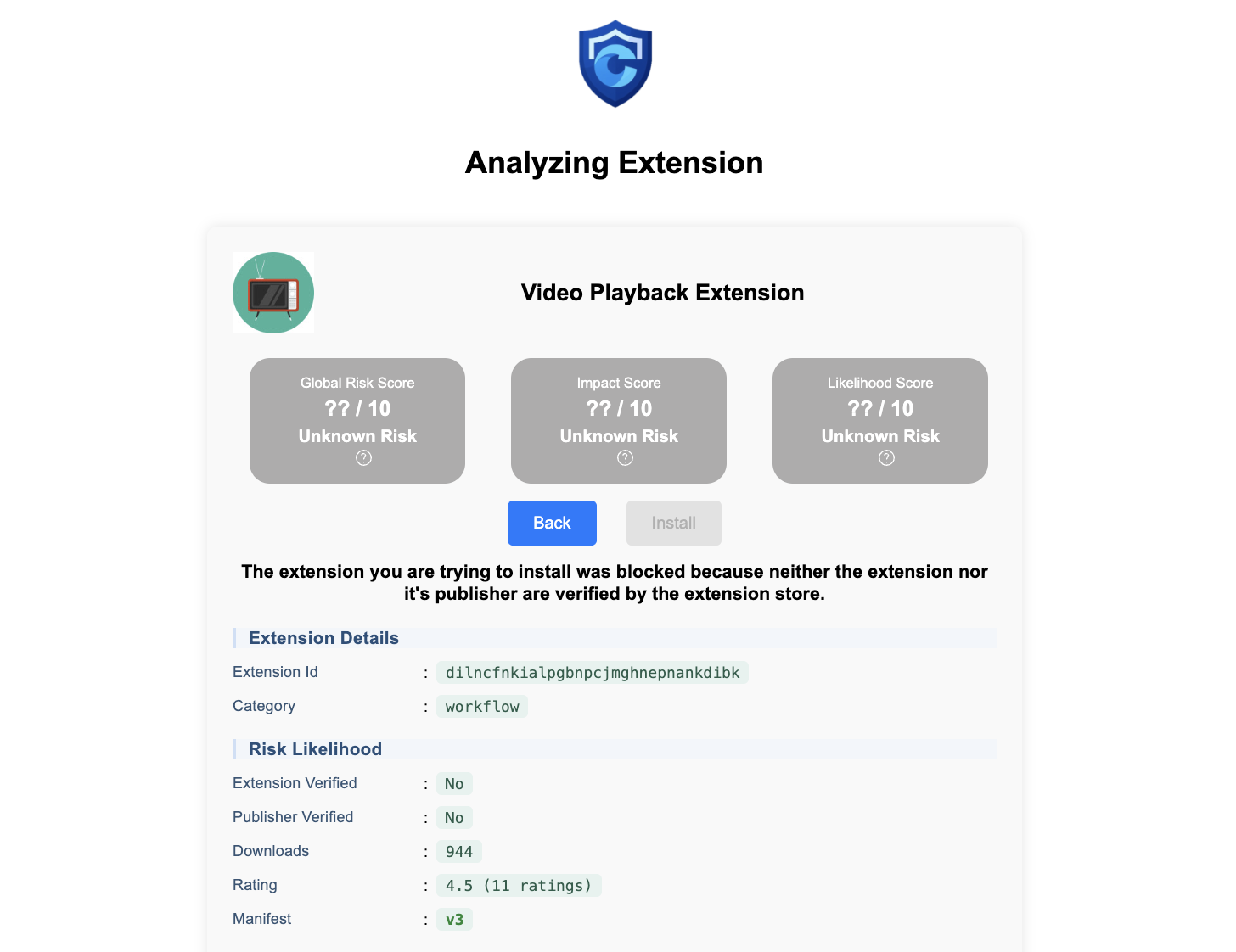
The default configuration of Citadel requires that extensions:
- themselves or their publisher are vetted (i.e. they have a “badge” in the store)
- have at least 200.000 active users
- have at least 500 ratings, and an average of 4.0 or higher
- do not request permissions give access to authentication- or session secrets
- request do not request broad access to all hosts, and not to ones that you protect
- are not side-loaded
- are not of category
lifestyle
However, it allows bypassing of these criteria if the extension has more than 5.000.000 installations. This is based on the assumption that extensions with such a large audience have implemented the necessary security measures to prevent malicious actors from taking them over.
Citadel also allows for users to request exceptions, which are logged as a time-critical security event (ERROR). If the risk profile of the extension changes after the exception was made, for example because an updated version of the extension requests more (dangerous) permissions, or because it’s rating or number of installations go down, the extension is disabled.
You can adapt this policy based on your needs, risk profile, and analysis of the statistical distribution on the Chrome store, Edge store or Firefox store. Another approach could for example be to disallow all extensions by default and to only whitelist extensions as and when the need arises.
    ...
    "extensions" {
        "whitelist": {
            allowAlways: ["id-of-extension-1", "id-of-extension-2"],
        },
        "blacklist": ["*"]
        }
    }
    ...
Users can see the status of their extensions on the Extension Dashboard.
blacklist
Using the extensions.blacklist you can specify extensions that are blacklisted, by listing their extension id. Users will not be able to install these extensions, or even request an exception.
policy reject
You can reject extensions based on the following criteria:
extensions.allowSideloading: do not allow if they are side-loadedextensions.verified.required: do not allow if they or their publisher are not verified (have a badge in the store)extensions.installations.required: do not allow extensions if they have less than N installationsextensions.blacklist.id: do not allow extensions based on their extension idextensions.blacklist.category: do not allow extensions based on their categoryextensions.blacklist.keyword: do not allow extensions based on their categoryextennsions.ratings.minRatingLevel: do not allow extensions if they are rated poorlyextennsions.ratings.minRatingCnt: do not allow extensions if their rating is based on few reviews
You can ofcourse also reject based on the permissions requested by the extension. The default configuration prohibits extensions that request permissions that could be used to get access to authentication or session secrets of sites in you protected scope:
- disallows
proxy,debugger,clipboardRead(these are global permissions) - disallows
scripting,webRequest,pageCapture,cookies, if the extension has requested access to all sites - disallows extensions that request broad access to all sites
- disallows extensions that request access to sites in your protected scope
- disallows the above permissions, even if they are optional and requested to the user at run-time
    ...
    "extensions" {
        "permissions": {
            "permissions": {
                "forbidden": ["proxy","debugger","clipboardRead"],
                "requireSpecific": ["scripting", "webRequest", "pageCapture", "cookies"],
                "analyzeOptional": true
            },
            "hostPermissions": {
                "requireSpecific": true,
                "allowProtected": false,
                "analyzeOptional": true
            }
        }
    }
    ...
Extensions rejected based on these criteria can still be installed through a user-requested exception or by adding them to the whitelist.
whitelist : allow anytime
The following criteria can be used to ignore the above-mentioned reasons for rejection:
extensions.verified.allowed: always allow extensions if they or their publisher are verifiedextensions.installations.allowed: allways allow extensions if they have more than N installationsextensions.whitelist.allowAlways: always allow the following extensions, based on their id Extensions allowed in this manner will always be allowed, irrespective of potential reasons for rejection.
You should use these mechanisms for extensions that you are very confident of, and where the inadvertent sudden disabling of the extension would generate severe or widespread issues (e.g. your company-wide password manager)
whitelist : only allow installation
If an extension exceeds the risk level defined in your policies, it is still possible to allow the installation and accept the risk that an extension poses, but to then continue to monitor their risk profile:
extensions.allowExisting: allow at current risk level, since they were already existing when Citadel was installedextensions.whitelist.allowInstall: allow at their current risk level the following extensions, based on their id- manually, when te user requests an exception.
Contrary to the “allow anytime” cases, these exceptions will continue to be monitored. If their risk profile degrades, for example because they require supplementary forbidden permissions or because their rating or popularity reduces, then they are disabled. If you want to re-evaluate
categories
When blacklisting based on categories, categories can be specified at the first level (e.g. productivity) to match all extensions in that category, or at the second level (e.g. communication) to match only extensions in that specific subcategory.
The available categories are the Chrome Web Store categories. The categories of the stores of other browsers have been mapped to the Chrome categories.
productivitycommunicationdevelopereducationtoolsworkflow
lifestyleartentertainmentgameshouseholdfunnewsshoppingsocialtravelwell_being
make_chrome_yoursaccessibilityfunctionalityprivacy