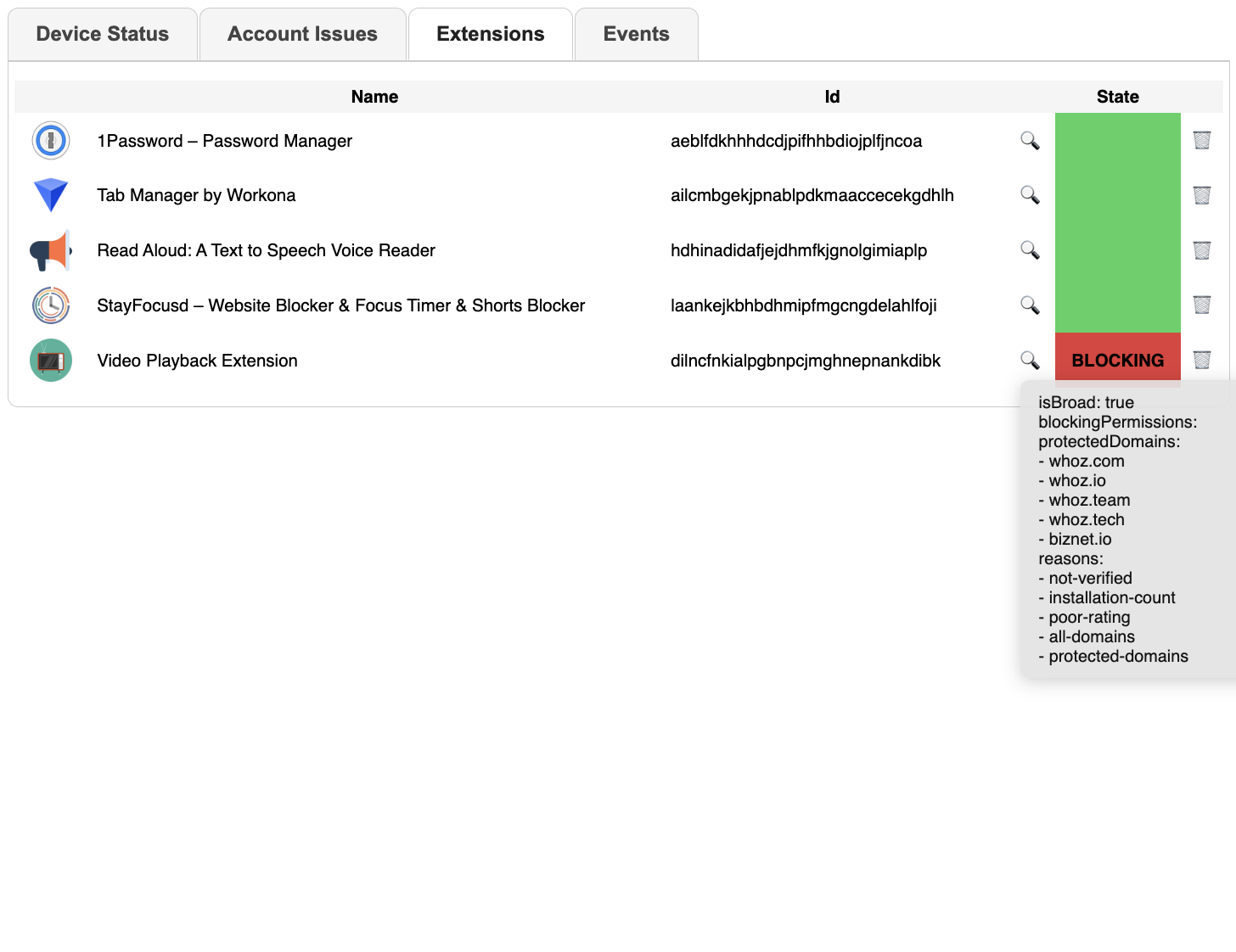
Extension Dashboard
Whenever you install software on your device, you run the risk of introducing malware or vulnerabilities. Browser extensions are essentially software, and so installing extensions creates a risk. This is even more true for extensions since they run inside your browser and thus, depending on their permissions, have direct access to all your private data and passwords, and can do anything you can do in your web applications.
For this reason, Citadel checks extensions before they are installed or updated, and even scans periodically. The analysis is based on aspects such as:
- the permissions requested by the extension
- the sites on which the permission can act
- if the extension or it’s publisher have been vetted
- how the extension is rated by other users
- the description of the extension (type, keywords)
Your organisation has defined acceptable levels for all of these aspects. When you install an extension, Citadel verifies and allows or disallows as a result.
Every time when an extension is updated, or it’s information changes otherwise, the extension is re-evaluated. The extension is blocked if at any time the extension exceeds the risk level defined by your organisation.
Blocked extensions are shown as BLOCKING in the dashboard. For detailed information about why Citadel considers the extension unsafe, click on the 🔍 icon.