Account Dashboard
Your organisation has put in place policies and mechanisms to ensure the information security, such as:
- password complexity and length
- password re-use
- use of Multi-Factor Authentication
- keeping professional accounts out of personal browser profiles
If these policies are not applied, this creates an information security risk. Citadel verifies that your accounts implement these policies and mechanisms, and can disable your access if this is not the case, in order to protect the information.
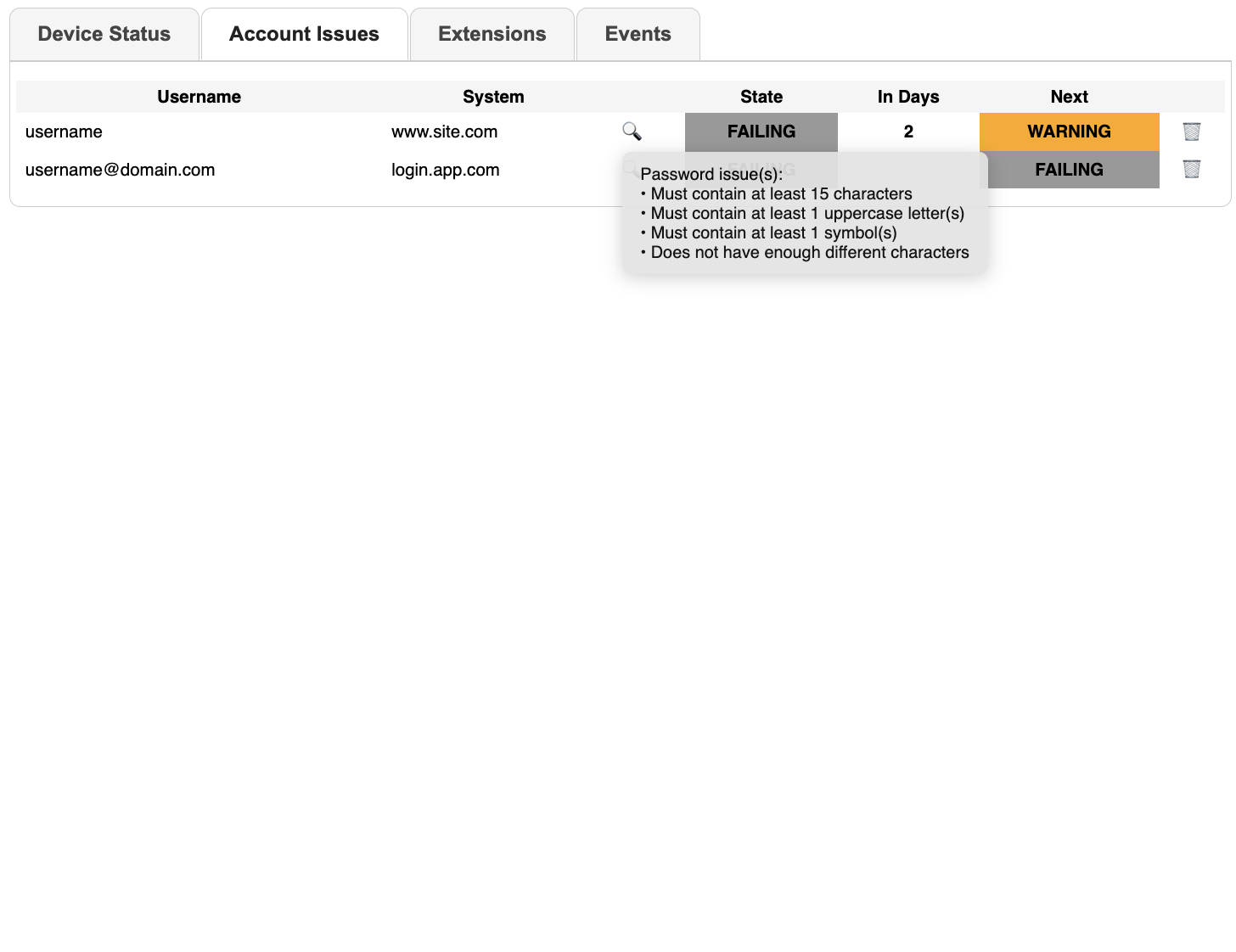
The Account Dashboard shows if your accounts have safe passwords:
FAILING: your account is safe, but safety could be improved: Citadel will periodically remind youWARNING: your account is unsafe, your access to sensitive IT systems unless you actBLOCKING: your access your organisation’s IT systems has been cut, for safety reasons
The “worst” state defines the global state. For detailed information about why Citadel considers an account unsafe, click on the 🔍 icon.
If an account no longer exists, or if Citadel is incorrectly raising it as unsafe, you can remove it using the 🗑 icon. This will also log you out of the system in question.
Work accounts in a personal profile
Your browser lets you sign in with a profile, and when you do, it can save your passwords and sync them to that account. If the profile is signed in to a personal account (for example your own private Google account), then every password you save is copied to that personal account.
That is fine for your private passwords, but it becomes a risk for your work accounts. A work password saved this way:
- ends up in an account that your organisation does not control or protect
- is synced to your personal devices, such as your home computer or phone
- stays in your personal account even after you leave the organisation
To help you avoid this, Citadel notices when your browser auto-fills a work account (an e-mail address on one of your organisation’s domains) while your browser profile is signed in to a personal account. When that happens, the account is raised as an issue, just like a weak or re-used password.
The safest fix is to keep work and private separate: use a work browser profile (or your work account) for your professional logins, and remove the work password that was saved in your personal profile. Once you have done so, you can clear the issue with the 🗑 icon.